Build 70205 brings Mac performance improvements
Blizzard developer Rommax's forum update confirms that build 70205, containing performance improvements, deployed ahead of schedule. The post began on 2 October and was subsequently edited; checked here on 3 October. Rommax remains uncertain whether the intermittent green/magenta tint is fixed and asks for reproduction steps, GPU, macOS version, location and server time.
Update the beta client before comparing it with an older report, and record the build you actually launch. Our earlier Mac crash guidance includes September observations. Keep those dates attached when deciding whether an old workaround is still relevant to your current symptom.
Can you raise Secondary Lighting again?
In a 3 October firsthand community report, Uplink0 identifies the build as 1.60.1.70205 and reports smooth movement with Secondary Lighting set to High, where higher settings previously caused severe stuttering. A commenter still reports green and purple tint. These are individual observations; RaidMuster has not benchmarked the build.
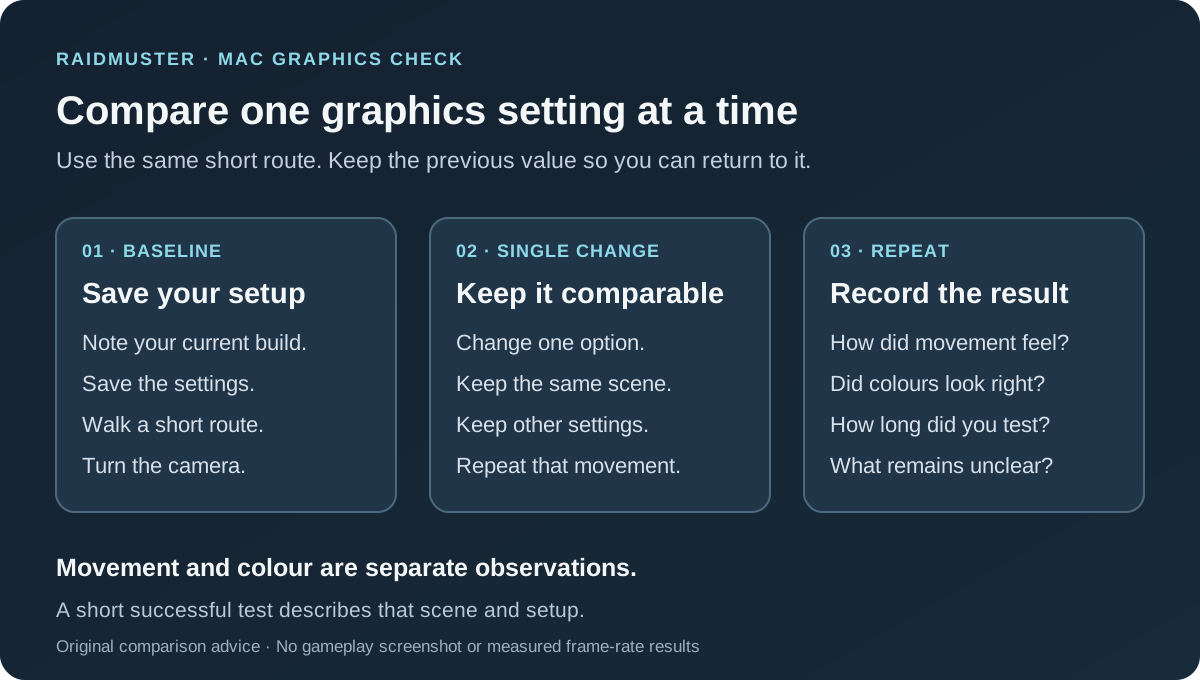
If you lowered that option earlier, test it on the updated client before adopting someone else's full preset. Save your current settings, stand somewhere quiet and compare the same short walk and camera turn. Change Secondary Lighting alone, then repeat. If performance worsens, return to the value you recorded.
Is the green-tint bug confirmed fixed?
The cited developer update does not confirm that. Rommax says internal testing had not reproduced the tint and that the new fixes might help, without confidence that they would resolve it.
Treat motion smoothness and colour accuracy as separate checks. If movement improves but the ground or shadows still change colour, record both outcomes. Capture the affected scene before changing settings, then note whether it appeared immediately, after travelling or later in the session. A clean first minute is a useful observation with a limited duration.
Give the next tester enough detail to compare results
Use this compact record when posting in the linked investigation. It combines the developer's requested details with the community's reporting checklist. Fill in your actual values; somebody else's successful configuration cannot describe your machine.
| Record | Include |
|---|---|
| Machine | Mac model, chip/GPU and memory. |
| Software | macOS version and full beta build number. |
| Display | Resolution and render scale. |
| Scene | Zone, precise location and server time. |
| Settings | Current graphics options and the single change tested. |
| Outcome | Stuttering, tint or crash; steps and screenshot if available. |
Check the destination before committing to a dungeon evening
Once your usual route works, try the meeting area for the planned group activity. Allow a short setup window before departure and tell the organiser whether you can move, turn the camera and read the scene comfortably. If the client repeatedly freezes, stop the repeated test and preserve the failure details.
Keep those observations in your session notes and confirm availability through your guild roster plan. A member who needs another graphics check can still state their preferred role and future play times. Agree a fallback activity if they cannot join, then revisit the result after the next relevant update.