How to enable the WoW Forever gamepad UI
Forever’s beta includes a built-in gamepad interface. Passion’s tested controller guide gives this in-game path: Esc → Options → Gameplay → Gamepad (Alpha) → Enable Gamepad UI (Alpha). From the login or character-selection screen, the Gamepad section sits under System instead. Keyboard and mouse remain usable with the interface enabled.
Start somewhere safe and check movement, camera turning, interaction and opening a menu before changing combat bindings. Keep a mouse within reach while learning: the same guide reports that some beta menus and prompts still need one. A familiar fallback lets you finish the session without changing several settings under pressure.

Which beta options matter for a dungeon party?
Blizzard’s 24 September notes added the options below. These are dated beta changes, checked for this guide on 30 September; they are not a new patch announcement today.
| Option | What changes |
|---|---|
| Use Compact Action Bar | Shows only the currently active gamepad bar. |
| Fixed Party Targeting | Assigns each D-pad direction to a specific member of a non-raid party. |
| Swap Target Modifier Sides | Moves friendly targeting right and hostile targeting left. |
| Swap Friendly / Hostile Target Action Sides | Swaps D-pad and face-button actions within the corresponding targeting mode. |
Compact bars or more information on screen?
In 29 September feedback, Nomadin describes difficulty matching an ability’s screen position to its trigger/button combination. Their preferred layout keeps inactive groups visible; the linked demonstration is a community prototype, not an announced Blizzard feature or a recommendation to install it.
Our suggestion is to compare the built-in layouts with three abilities you already understand. Use each while stationary, then while moving and turning. Choose the view in which you can identify the next action consistently. A cleaner-looking bar is not automatically easier if it hides information you rely on.
Warcraft Tavern’s action-bar walkthrough also documents Show Input Prompts for button glyphs. Try visible prompts while learning instead of memorising a screenshot of somebody else’s setup.
A short controller check before the first pull
Use this as a practice exercise, not a test of whether controller players belong in your guild. Invite a willing partner, explain what you are checking and choose a quiet area. Change one option at a time so you can identify which change helped.
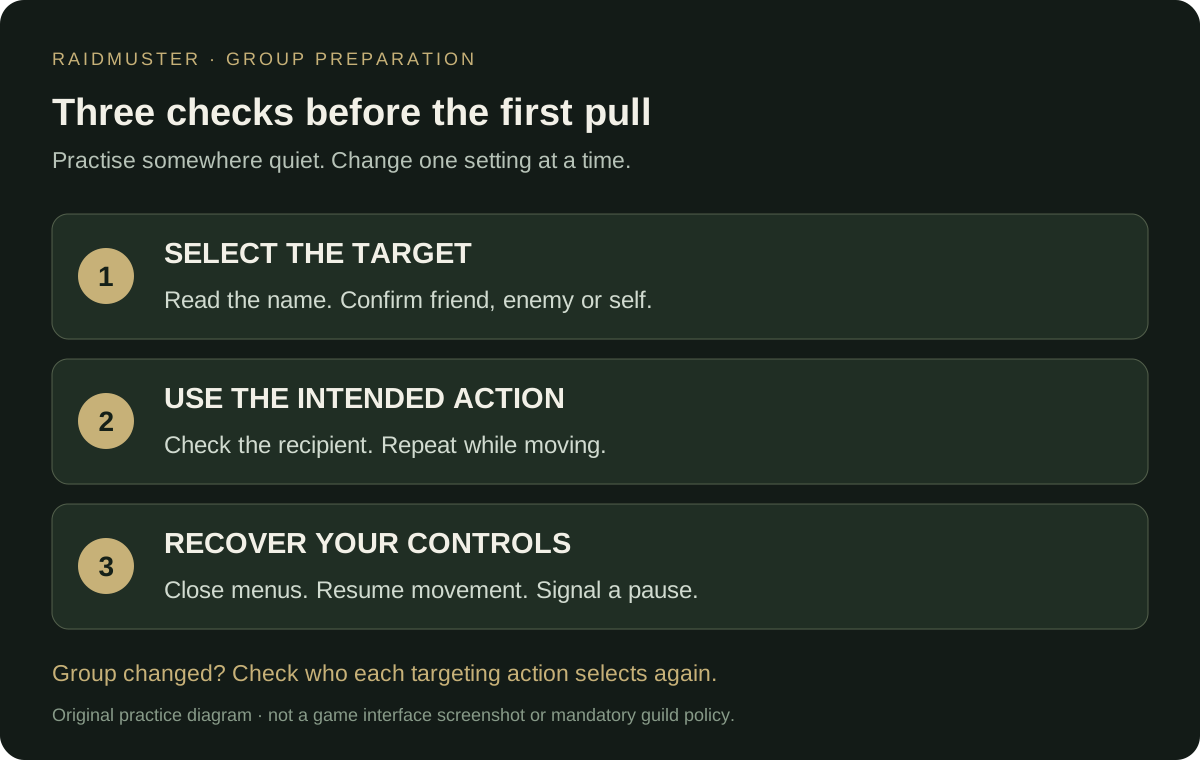
- Target: select your partner, yourself and an appropriate enemy. Read the selected name before using an ability.
- Action: use a learned, suitable spell and check the recipient. Repeat while moving; practise returning to your usual view.
- Recovery: open and close your bags and map, then return to movement. Find the communication control you will use if you need a pause.
- Group change: repeat the target check after someone joins or leaves. Do not assume an earlier button-to-person association still matches the new group.
Record the result, not somebody’s input device
For your guild roster, the useful information is the role a player wants, when they can attend and whether they need a short setup break. Judge the planned activity by the same practical requirements for everyone: selecting the intended target, using agreed abilities and communicating when help is needed.
Before a dungeon evening, agree how someone signals a control problem and where the party can safely pause. Keep detailed binding experiments in personal notes. Your raid preparation plan only needs the action that affects the group, such as allowing five minutes to check targeting before departure.
Does controller support confirm a console release?
No. In Windows Central’s 19 September interview, Ion Hazzikostas described the focus as PC and the goal as making gamepad play easier. That statement does not announce an Xbox, PlayStation or Switch version. Controller support, handheld performance reports and a confirmed console launch are different claims.
Keep your guild’s joining instructions tied to the playable version members can actually access. If someone encounters a reproducible input problem, record their client build, controller, relevant setting and shortest failing sequence. Link the dated report in your notes and recheck after an update rather than assuming every beta issue is permanent.